
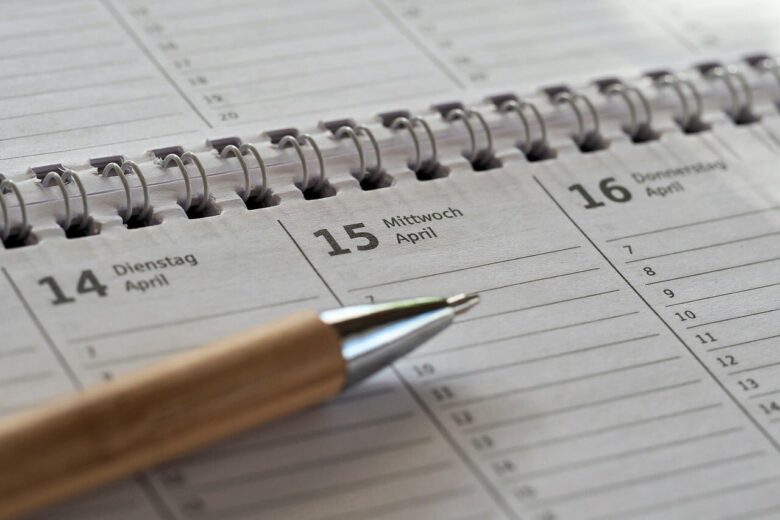
A simple time blocking method can help you organize your day without turning your life into a rigid schedule. Many people dislike planning because it feels restrictive, stressful, or unrealistic, especially when work, school, family, messages, and unexpected tasks keep changing throughout the day.
The goal is not to control every minute. It is to give your time a loose shape so you know what matters, what can wait, and where your attention should go next.
For people who hate scheduling, a calendar filled with small tasks can create pressure before the day even begins. A simpler approach uses broad blocks for focused work, administrative tasks, personal time, and interruptions. You can set it up with a notebook, calendar app, notes app, or piece of paper.
Why Traditional Scheduling Feels So Annoying
Many people dislike scheduling because it often feels like another task to maintain. Instead of helping, a detailed schedule can become a source of guilt when the day does not go exactly as planned.
Most days are not perfectly predictable. A message arrives, a meeting runs long, a family task appears, or your energy drops. When your plan is too tight, one small delay can make the whole day feel broken.
The problem is usually not planning itself. The problem is planning with too much precision. If you hate scheduling, you probably need a softer structure, not a stricter one.
| Scheduling Problem | Why It Happens | Better Approach |
|---|---|---|
| Planning every minute | It leaves no space for delays or interruptions. | Use wider blocks of time instead of exact task slots. |
| Adding too many tasks | The schedule becomes unrealistic before the day starts. | Choose only a few important tasks for each block. |
| Feeling guilty when plans change | The schedule is treated like a rule instead of a guide. | Adjust blocks during the day without seeing it as failure. |
| Ignoring energy levels | Hard tasks are placed at random times. | Match demanding work with your best energy window. |
The Simple Time Blocking Method
This method divides your day into a few large blocks. Each block has a general purpose rather than a long list of exact appointments.
Instead of writing “9:00 reply to email, 9:20 edit document, 9:45 call client,” you might write “morning block: important work.” This gives you direction without making the day feel rigid.
A good beginner structure is three to five blocks per day. For example, you can use morning, midday, afternoon, evening, and reset blocks. Each block should answer one question: What kind of activity belongs here?
| Block Type | Best Use | Simple Example |
|---|---|---|
| Focus block | Deep work, studying, writing, projects, or other important tasks. | Work on one priority before checking messages. |
| Admin block | Email, bills, small tasks, scheduling, forms, and organization. | Clear small tasks after lunch. |
| Flexible block | Unexpected tasks, overflow work, or unfinished items. | Use late afternoon for anything that slipped. |
| Personal block | Exercise, rest, family, hobbies, meals, and errands. | Protect evening time from work when possible. |
| Reset block | Planning tomorrow, cleaning your workspace, or closing open loops. | Spend ten minutes preparing for the next day. |
How to Set Up Your First Time Blocks
You do not need a perfect planner to start. Look at your day and divide it into natural sections. These sections probably already exist in your routine, even if you have never named them.
For example, your morning may be better for focused work, while your afternoon may suit calls, errands, or smaller tasks. The method is easier to follow when it reflects your actual routine instead of forcing a new one.
-
Look at your fixed commitments.
Start with anything that already has a set time, such as classes, work shifts, meetings, appointments, meals, or commute time. These are the anchors of your day.
-
Divide the remaining time into broad blocks.
Create three to five blocks using simple names such as focus, admin, errands, personal, or rest. Avoid making them too detailed at the beginning.
-
Choose one main goal for each block.
Each block should have one clear purpose. If a block has too many goals, it becomes a hidden to-do list and loses its simplicity.
-
Add only the tasks that truly fit.
Place tasks where they make sense. Do not put demanding work in an evening block if you know you usually have low energy at that time.
-
Leave empty space on purpose.
Empty space protects the plan from delays, interruptions, and tasks that take longer than expected.
-
Review the plan once during the day.
A quick midday check lets you adjust without starting over. Move unfinished tasks to a flexible block instead of forcing them into the wrong place.
A Beginner-Friendly Daily Template
If you are starting from zero, use a daily template that is easy to repeat. A simple day can be divided into five parts: start, focus, admin, flexible, and close.
- Start the day by choosing one clear priority.
- Use your best energy window for the task that matters most.
- Group small tasks into one admin block instead of spreading them throughout the day.
- Keep one flexible block for delays or unfinished tasks.
- End with a short reset so tomorrow is easier to begin.
You do not need color codes, complicated apps, or a perfect calendar. The simpler the structure, the easier it is to repeat.
How to Choose What Goes Into Each Block
One useful rule is to group tasks by the kind of attention they require, not just by topic. Some tasks require sustained focus, some involve communication, and others need only a little attention.
For example, writing, studying, planning, coding, designing, or solving difficult problems usually belong in a focus block. Email, forms, messages, purchases, and quick decisions usually fit better in an admin block.
A common mistake is putting every task wherever there is free space. This may look efficient, but it can make the day feel scattered. Placing similar tasks together reduces the number of times you need to shift between different kinds of work.
| Task Type | Best Block | Reason |
|---|---|---|
| Writing or studying | Focus block | These tasks need attention and fewer interruptions. |
| Email and messages | Admin block | They are easier to handle together. |
| Errands | Flexible or personal block | They often depend on location, timing, or outside factors. |
| Creative work | Focus block | It usually needs mental space and a slower pace. |
| Planning tomorrow | Reset block | It helps you close the day with a clear next step. |
How to Keep Time Blocking Flexible
Flexibility is the main reason this method works for people who hate scheduling. Your blocks should guide your attention, not make you feel punished when plans change.
Keep at least one buffer block in your day. This space can hold work that took longer than expected or a task that appeared without warning.
If your morning block does not go as planned, do not discard the entire schedule. Move the most important unfinished task to the next suitable block and continue from there.
- Keep at least one flexible block in your day.
- Avoid filling every open space with tasks.
- Move unfinished tasks instead of abandoning the whole plan.
- Use broad labels instead of minute-by-minute instructions.
- Review your blocks once rather than constantly rearranging them.
Common Mistakes That Make Time Blocking Feel Hard
Time blocking becomes frustrating when it is treated like a strict productivity challenge. The method should make your day clearer, not heavier.
One common mistake is planning for your most motivated day. A schedule may look reasonable when you create it, but your energy or responsibilities may be different when it is time to follow it.
Another mistake is forgetting transition time. Moving between tasks takes time and attention. If every block touches the next without a pause, the day can feel rushed even when the plan looks organized.
| Mistake | What It Causes | How to Fix It |
|---|---|---|
| Overloading every block | The plan becomes unrealistic. | Limit each block to one main goal and a few small tasks. |
| Ignoring breaks | The day feels rushed and demanding tasks become harder to sustain. | Add short pauses between demanding blocks. |
| Using too many categories | The system becomes hard to maintain. | Start with simple labels such as focus, admin, personal, and reset. |
| Treating changes as failure | You may stop using the method completely. | Adjust the remaining blocks and continue from there. |
Choosing a Calendar App, Notes App, or Paper
The best tool is the one you will actually use. A calendar app is useful when your day includes appointments, meetings, classes, or shared commitments because it displays fixed times clearly.
A notes app works well if you prefer a looser structure. You can write your blocks as a simple list and move tasks without feeling locked into a calendar grid.
Paper may feel less stressful for beginners. Writing three or four blocks by hand keeps the plan visible without adding notifications or extra settings. You do not need to choose the perfect tool before you begin.
| Tool | Best For | Possible Limitation |
|---|---|---|
| Calendar app | People with meetings, classes, appointments, or shared schedules. | Can feel too rigid if every task is added. |
| Notes app | People who want a flexible daily list with broad blocks. | May be easy to ignore without reminders. |
| Paper planner | People who prefer visual planning without notifications. | Not ideal for managing shared or changing appointments. |
| Whiteboard | People who want a visible plan at home or work. | Less portable than phone-based planning. |
Start With Four Basic Blocks
Begin with one focus block, one admin block, one flexible block, and one reset block. Give each block a single purpose, leave room for interruptions, and adjust the plan when your day changes.
If the system feels stressful, remove detail rather than adding more rules. A useful time-blocking plan should help you decide what to do next without making every hour feel controlled.
FAQ
What is time blocking in simple terms?
Time blocking is a planning method that divides your day into sections and gives each section a purpose. Instead of relying on one long to-do list, you decide when certain kinds of tasks will happen. A simple version uses broad periods rather than planning every minute.
Is time blocking suitable for people who hate schedules?
It can be, as long as the method remains flexible. Broad blocks provide direction without requiring exact start and finish times for every task. They also leave room for delays, interruptions, and unexpected responsibilities.
How many time blocks should I use each day?
Start with three to five blocks. For example, you might use focus, admin, flexible, personal, and reset blocks. Too many categories can make the method feel complicated and difficult to maintain.
Do I need a calendar app?
No. A calendar app is helpful for meetings, classes, appointments, and shared commitments, but a notes app, notebook, paper planner, or whiteboard can work just as well. Use the tool that feels easiest to check and update.
What should I do if I do not finish a task inside its block?
Move it to a flexible block or choose a realistic time to continue later. If the same task keeps moving for several days, break it into a smaller next step before placing it in another block.
What is the difference between time blocking and a to-do list?
A to-do list shows what needs to be done, while time blocking gives tasks a place in your day. The two methods can work together: keep a short task list, then place the most important items into suitable blocks.
How long should each time block be?
There is no single ideal length. A block should be long enough to make meaningful progress without creating unnecessary pressure. Use longer blocks for demanding work and shorter blocks for grouped administrative tasks, then adjust based on what you can realistically complete.
Can I use time blocking if my day is unpredictable?
Yes. Use broad categories such as focus, admin, errands, personal, and flexible time instead of assigning every task an exact time. Keep one or more blocks open for unexpected demands, and rearrange the remaining blocks when necessary.
Should I time block weekends?
You can, but keep the structure light unless you have fixed responsibilities. A weekend plan might include an errands block, a personal block, and a short reset block. The schedule should protect rest and personal time rather than make a day off feel like another workday.
How do I avoid overplanning?
Limit each block to one main purpose, leave space between demanding tasks, and avoid filling every available hour. If your schedule works only when nothing unexpected happens, it is too tight.

The Exodus Flow Editorial Team publishes practical and realistic content about decluttering, small-space organization, daily productivity, home routines, simple living, and creating calmer, more functional spaces.
Our guides are prepared for general informational purposes, with a focus on clear steps, achievable changes, realistic expectations, and solutions that can fit everyday homes and busy routines.